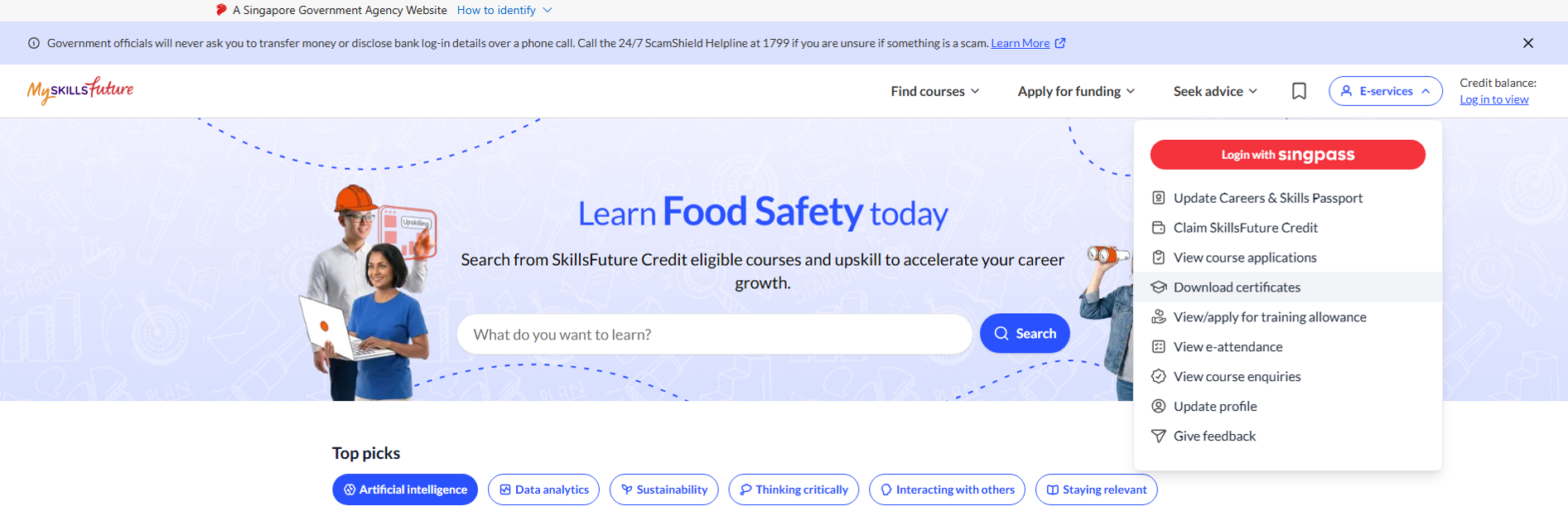
Step 3: Select ‘Download Certificates’ and you will be prompted to log in.
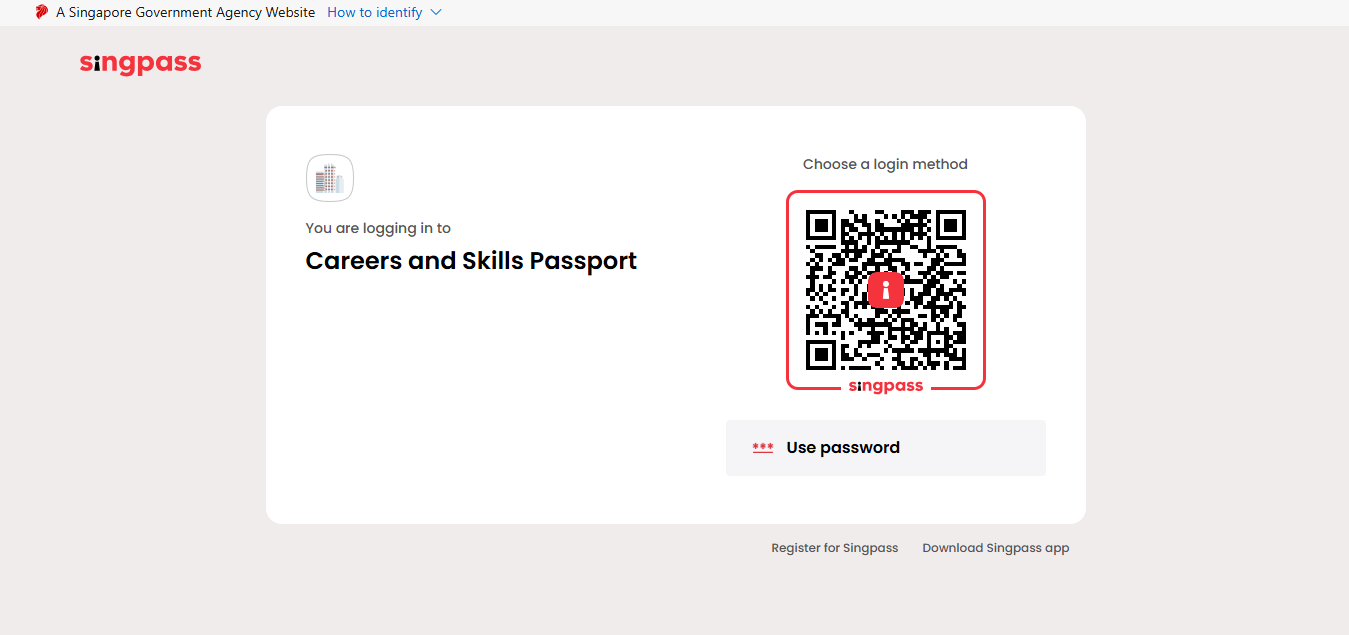
Step 4: Log in via Singpass and you will be redirected to the Careers & Skills Passport page, where you can view your list of learning records.
Step 5: Click on the specific record and click on the download icon to download the respective certificates. For OpenCerts, a new browser tab for https://OpenCerts.io will open where you can view your OpenCert record.
*Certificates will be available approximately 1 week after course completion.